
ATS for Small Teams
Introduction
Applicant Tracking Systems (ATS) can seem intimidating, particularly for small teams hiring their first few employees. This playbook demystifies ATS for small teams with practical, jargon-free advice.
What Is an ATS
An Applicant Tracking System (ATS) is software that helps recruiting teams manage the hiring process. At its core, an ATS centralizes candidate information, tracks candidates through hiring stages, and provides tools for collaboration and communication.
Think of an ATS as a CRM for recruiting. Without an ATS, teams manage hiring through email, spreadsheets, and shared drives, which becomes chaotic as hiring volume increases.
When You Need an ATS
You should consider an ATS when you are hiring multiple people within a short period, when multiple stakeholders are involved in hiring, when you are struggling to keep track of candidates, when candidates are having poor experiences, or when you need to demonstrate compliance with hiring regulations.
Core ATS Features
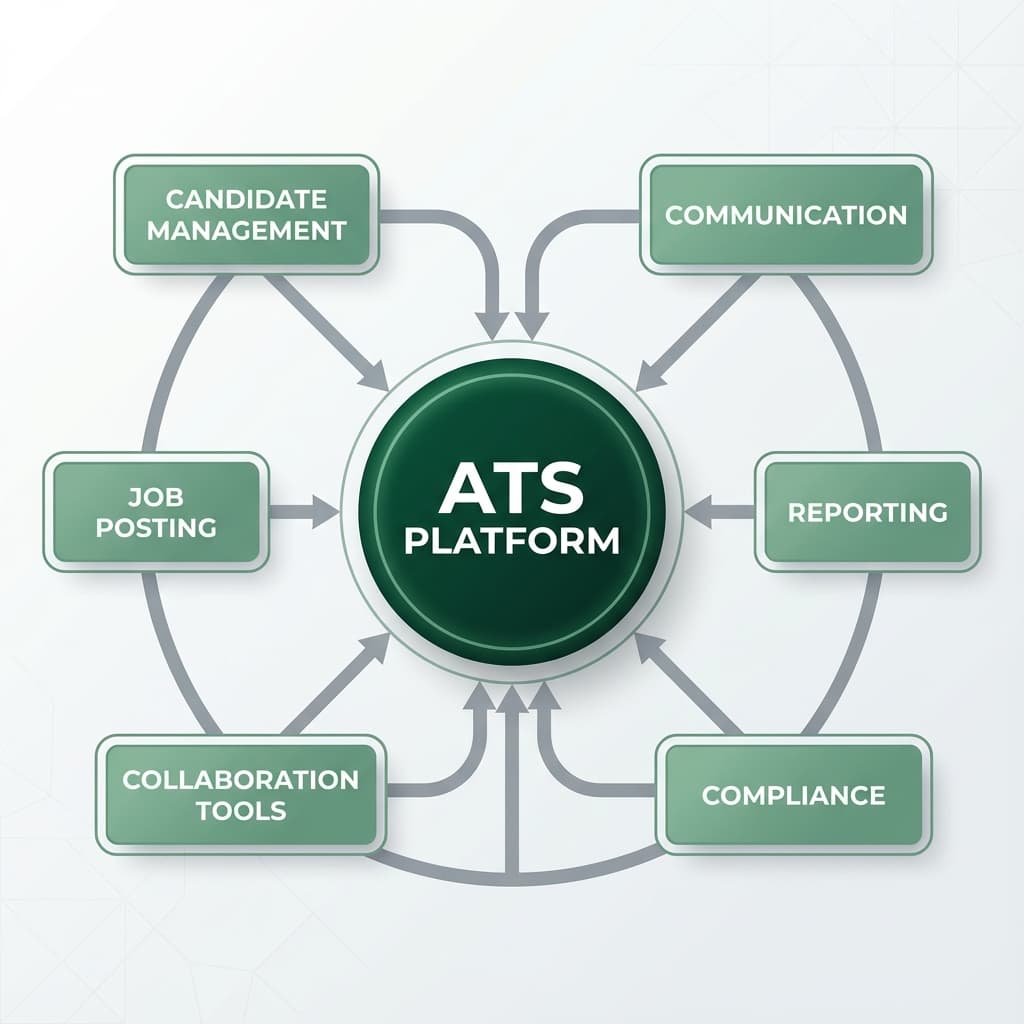
For small teams, focus on core features: candidate management (storing resumes, tracking progress), job posting and distribution, collaboration tools, communication features (email templates, automated updates), reporting and analytics, and compliance and recordkeeping.
Choosing the Right ATS
Start by defining your requirements. Consider your hiring volume and complexity. Evaluate ease of use through demos and trials. Assess integration capabilities with your existing tools. Review pricing carefully. Check customer support quality. Read reviews from similar companies.
Some modern recruiting platforms help teams manage job distribution and applicants in one place, such as Flowxtra.
Implementation Best Practices
Start with a clear implementation plan. Clean your data before migration. Configure the system to match your hiring process. Start simple and add complexity gradually. Train your team thoroughly. Run a pilot with one job posting before full rollout.
Maximizing Value
Make the ATS your single source of truth. Use templates and automation to save time. Encourage detailed notes and feedback. Review reports regularly. Keep data organized. Integrate with other tools. Stay updated on new features.
Common Mistakes
- Choosing based on features rather than fit: Focus on what you actually need
- Underestimating training needs: Invest in proper training upfront
- Over-customizing: Keep it simple to maintain easily
- Not defining clear processes: Fix your process before implementing technology
- Ignoring candidate experience: Ensure simple, mobile-friendly applications
What to Do Next
- Audit your current recruiting process and identify pain points
- Define your must-have features and budget
- Research ATS platforms designed for small teams
- Start free trials with your top choices
- Develop an implementation plan
- Explore how ATS integrates with recruiting workflows
- Learn about hiring automation